

Your plan controls how many connected social accounts you can link, how many AI credits you receive each month, which features appear in the sidebar, which review platforms you can connect, and whether the "Powered by SocialBizHub" credit can be removed from widgets. This article covers subscribing, managing billing, and what each plan tier includes.
Plan names and prices on the Pricing page are the source of truth. The capability table below describes how plans differ; your exact limits are shown when you sign up or in Settings → Plans.
Choosing a plan
Visit the Pricing page to compare plans. Use the Monthly / Yearly toggle to see both billing options, then click the call-to-action on the plan you want.
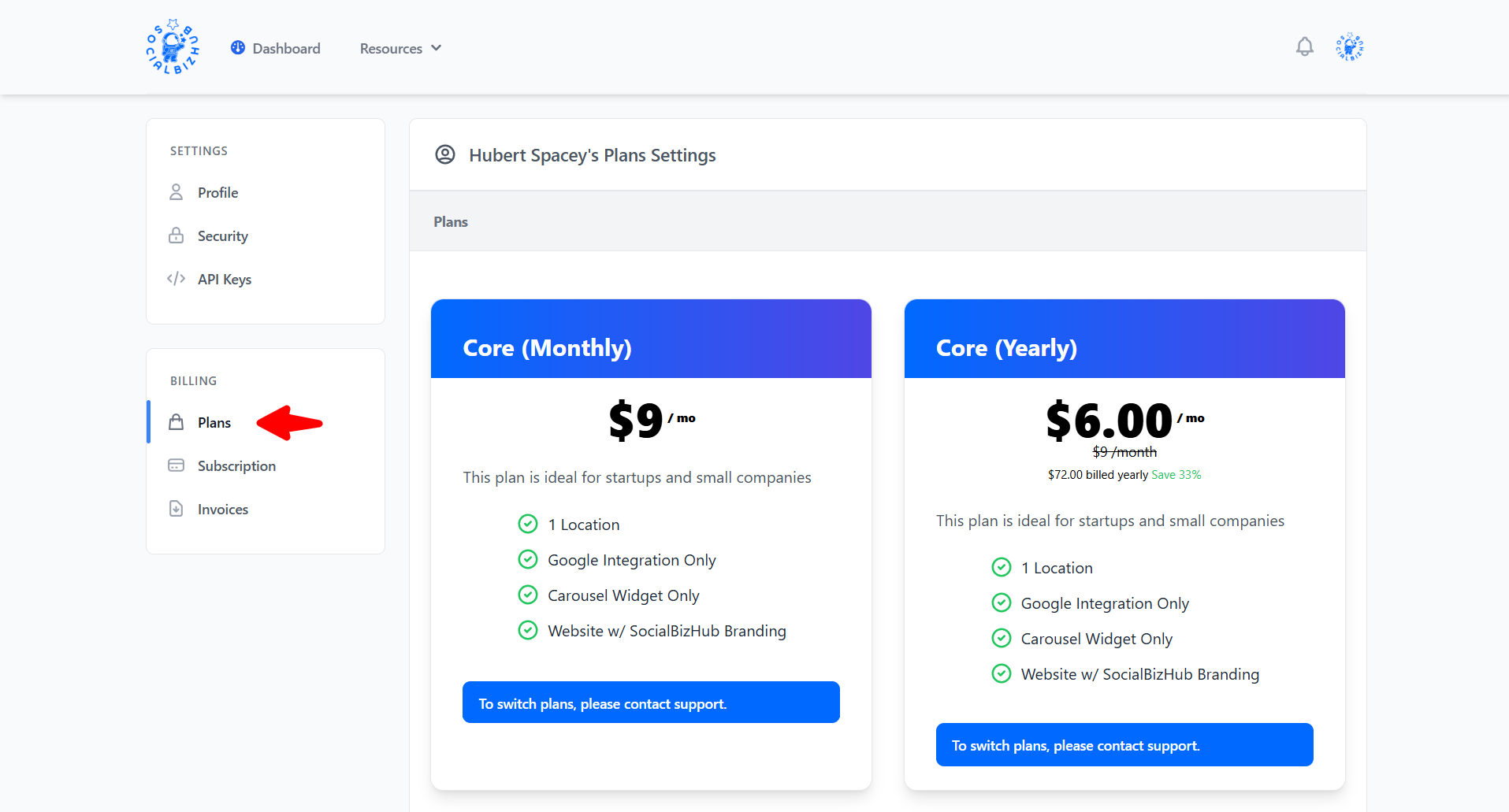
All plans include a 14-day free trial (card required). While you're on trial, you'll see a reminder near the top of the app showing the date your card will first be charged. Annual billing saves about two months — roughly 17% off compared to paying monthly.
| Plan | Monthly | Yearly | Connected accounts included | AI credits / month |
|---|---|---|---|---|
| Starter | $19 | $190 | 1 | 250 |
| Growth (default) | $49 | $490 | 3 | 1,500 |
| Pro | $99 | $990 | 15 | 5,000 |
Extra connected accounts beyond your plan's included count are available as an add-on. The per-account price depends on your plan: $10/mo on Starter, $8/mo on Growth, $6/mo on Pro.
Extra locations are also available as a flat add-on — $15/mo per extra location. Each plan includes 1 location by default; contact support to add one.
Subscribing
- From Pricing, choose a plan. You'll be taken to our secure Stripe checkout to enter your payment details.
- After payment, you're brought back to SocialBizHub to set your password and finish creating your account.
- You'll land on your Dashboard, ready to add your first location.
Payments are processed by Stripe. SocialBizHub never stores your full card number.
During your 14-day trial, AI usage is capped at 100 credits regardless of plan. After the trial, your full monthly AI allowance applies and resets each month (unused credits do not roll over).
What each plan includes
SocialBizHub plans combine feature access (what you see in the sidebar), integration platforms (which review sources you can connect), connected account limits, AI credits, location limits, and widget branding.
| Capability | Starter | Growth | Pro |
|---|---|---|---|
| Get Reviews (QR, landing page, routing) | Yes | Yes | Yes |
| Manage Reviews (approve, moderate) | Yes | Yes | Yes |
| AI Review Replies (Google) | Yes | Yes | Yes |
| Embeddable review widgets | Yes | Yes | Yes |
| Connected Site hub (URL + speed audit) | Yes | Yes | Yes |
| Content Studio (AI social posts) | Yes | Yes | Yes |
| Brand Voice (AI tone & guardrails) | Yes | Yes | Yes |
| Social Analytics insights & AI posts planner | No | Yes | Yes |
| Google reviews import | Yes | Yes | Yes |
| Tripadvisor, The Dyrt, Airbnb, Yelp, Vrbo, Booking.com | No | Yes | Yes |
| Remove "Powered by SocialBizHub" on widgets | No | Yes | Yes |
| Connected social accounts included | 1 | 3 | 15 |
| AI credits per month | 250 | 1,500 | 5,000 |
| Locations included | 1 | 1 | 1 |
| Analytics & ads, white-label, priority support | — | — | Coming soon |
Starter is reviews plus the content suite for your first social account — Google review collection, AI-drafted replies, widgets, and Content Studio with Brand Voice for one connected account.
Growth is the full suite — Content Studio across 3 connected accounts, all supported review platforms, Social Analytics insights with the AI posts planner, and branding removal.
Pro includes everything in Growth, with higher connection and AI credit limits, plus upcoming analytics, ads-assist, white-label, and priority support.
If a sidebar item is greyed out with a small lock, your plan doesn't include that feature yet — click it to see what it does and upgrade in one step.
AI credits
AI credits power AI Review Replies and Content Studio generations. Each text generation (a review reply or a social caption) costs 1 credit. Image generations cost 10 credits; video generations cost 40 credits. When you run out of credits, new AI generations are blocked until your allowance resets at the start of the next billing month — or until you buy a top-up pack (below).
AI credit top-ups
Need more credits before your monthly reset? Open Settings → AI Credits
(/credits) to see your current balance and monthly allowance, then purchase a
one-time top-up pack:
| Pack | Price | Credits |
|---|---|---|
| 1,000 credits | $10 | 1,000 |
| 2,500 credits | $19 | 2,500 |
Top-ups are processed through Stripe Checkout (same secure payment flow as plan signup). Credits are added to your balance immediately after payment (synchronous confirmation on return; a webhook backstop ensures delivery if you close the browser early).
Monthly allowance vs. top-ups: plan credits included each month reset at the start of your billing month and do not roll over. Purchased top-up credits are added on top of your allowance and do carry over month to month until you use them.
See your credit usage
Settings → AI Credits (/credits) also shows where your credits go:
- Balance split — how many credits are your monthly allowance (resets) versus top-up credits (carry over).
- This month's usage — a breakdown by feature (for example, social captions, review replies, blog drafts, and AI images) so you can see what's using your credits.
- Recent activity — a dated list of each generation and top-up, including which location it was for.
Earn credits by referring others
Share SocialBizHub with another business and you'll both earn AI credits once they subscribe — see Refer & Earn.
Managing your subscription
Once logged in, open Settings to find:
- Plans — your current plan at a glance: what it includes (connected accounts and monthly AI credits), your renewal date, your AI credit balance with one-tap top-up packs, and links to compare plans or change your plan.
- Subscription — your subscription status and management options.
- Invoices — your billing history.
- AI Credits — your credit balance, monthly allowance, usage, and one-time top-up packs.
Profile and password changes are under Settings → Profile and Security. See Account & Settings.
Updating your payment method or cancelling
Payment method updates and cancellations are handled through the secure Stripe customer portal, linked from your Subscription settings.
Switching plans
You can upgrade or downgrade yourself. In Settings → Plans, click Change plan (or Manage billing) to open the secure Stripe billing portal, then pick your new plan. Upgrades take effect right away — you're charged the prorated difference, and your higher monthly AI credit allowance is topped up immediately. Downgrades apply your new (lower) allowance at your next monthly reset; your current credits aren't clawed back. Your locations and data carry over either way. If you'd rather we handle it, contact support.
Cancelled or inactive subscription
If your subscription ends, you may see a page explaining that you no longer have an active subscription when you sign in. You can:
- Choose a plan from the pricing section on that page to resubscribe, or
- Contact support to reactivate your account and confirm your data is intact
Past-due payments are resolved by updating your card in the Stripe customer portal (Settings → Subscription).
Frequently asked questions
How do I update my credit card? Open Settings → Subscription and use the link to the Stripe customer portal.
How do I cancel? Cancel through the Stripe customer portal linked in Settings → Subscription. If you can't find it, contact support.
What happens if my payment fails? Your subscription is marked past-due until payment succeeds. Update your card in the customer portal to restore access.
What happens to my account if I cancel? Your subscription ends and your account moves to a cancelled state. Contact support if you'd like to reactivate.
I need an invoice copy. Find your billing history under Settings → Invoices, or contact support for copies.
Why can't I open Website analytics or the AI posts planner? Those features require Growth or Pro. Starter includes review collection, AI replies, widgets, Google integration, and Content Studio with Brand Voice for one connected account.
Why can't I connect more social accounts? Each plan includes a set number of connected accounts (see the table above). Extra connections are available as a paid add-on — contact support to add more.
What happens to unused AI credits? Your plan's monthly allowance resets at the start of each billing month — unused monthly credits do not roll over. Purchased top-up credits (from Settings → AI Credits) are separate and carry over until you use them.
How do I buy more AI credits? Open Settings → AI Credits and choose a top-up pack (1,000 credits for $10 or 2,500 credits for $19). Payment is handled by Stripe Checkout.