

Your Settings area covers your personal account (profile and security) and links to billing tools. Open it from the sidebar under Account → Settings, or go straight to Account → Security for password and two-factor options.
Profile
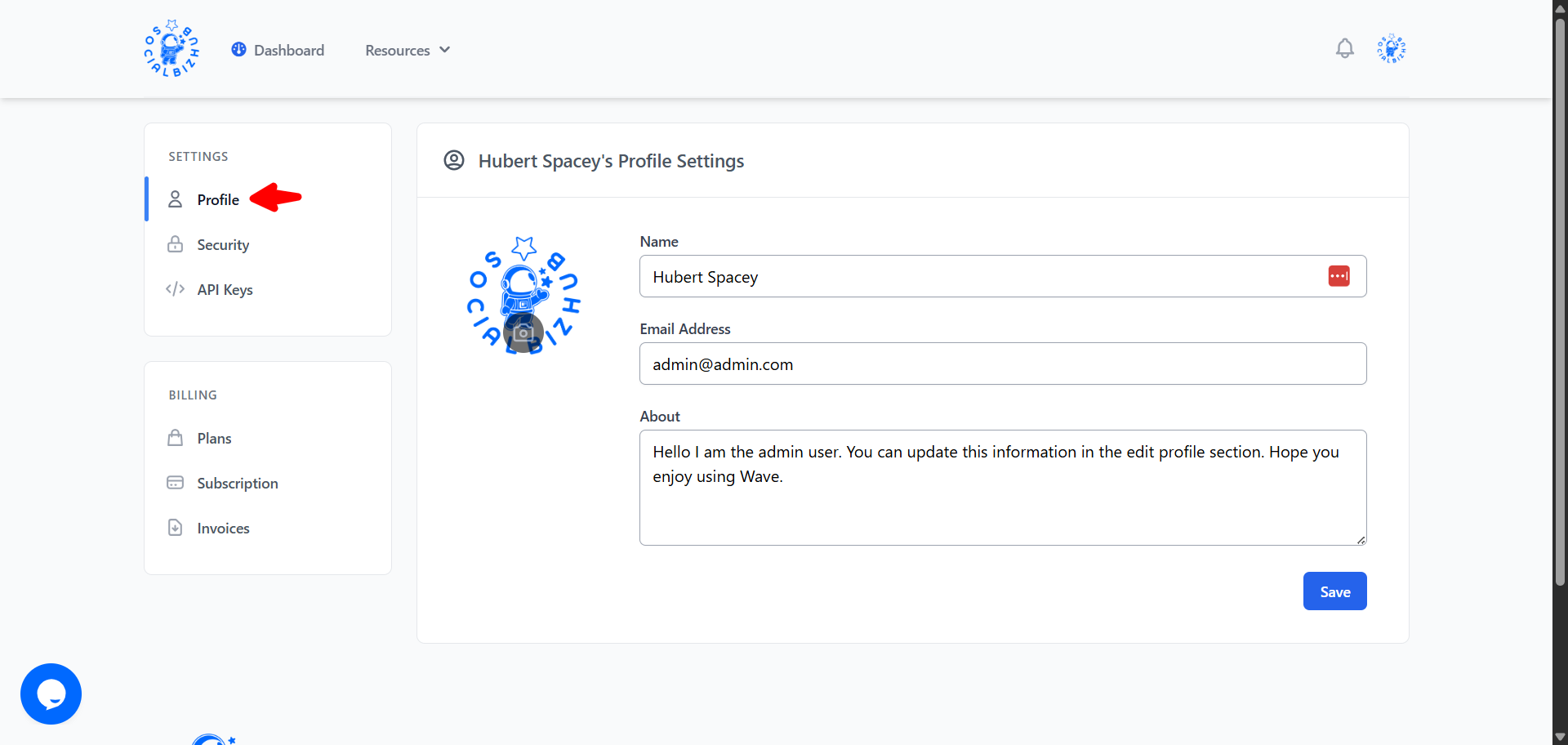
Settings → Profile
- Update your name
- Upload or change your profile photo (crop before saving)
- See your Timezone — detected automatically from your browser and used to schedule and display your posts. To change it, update your device's timezone.
Changes apply to your SocialBizHub account immediately.
Security (password)
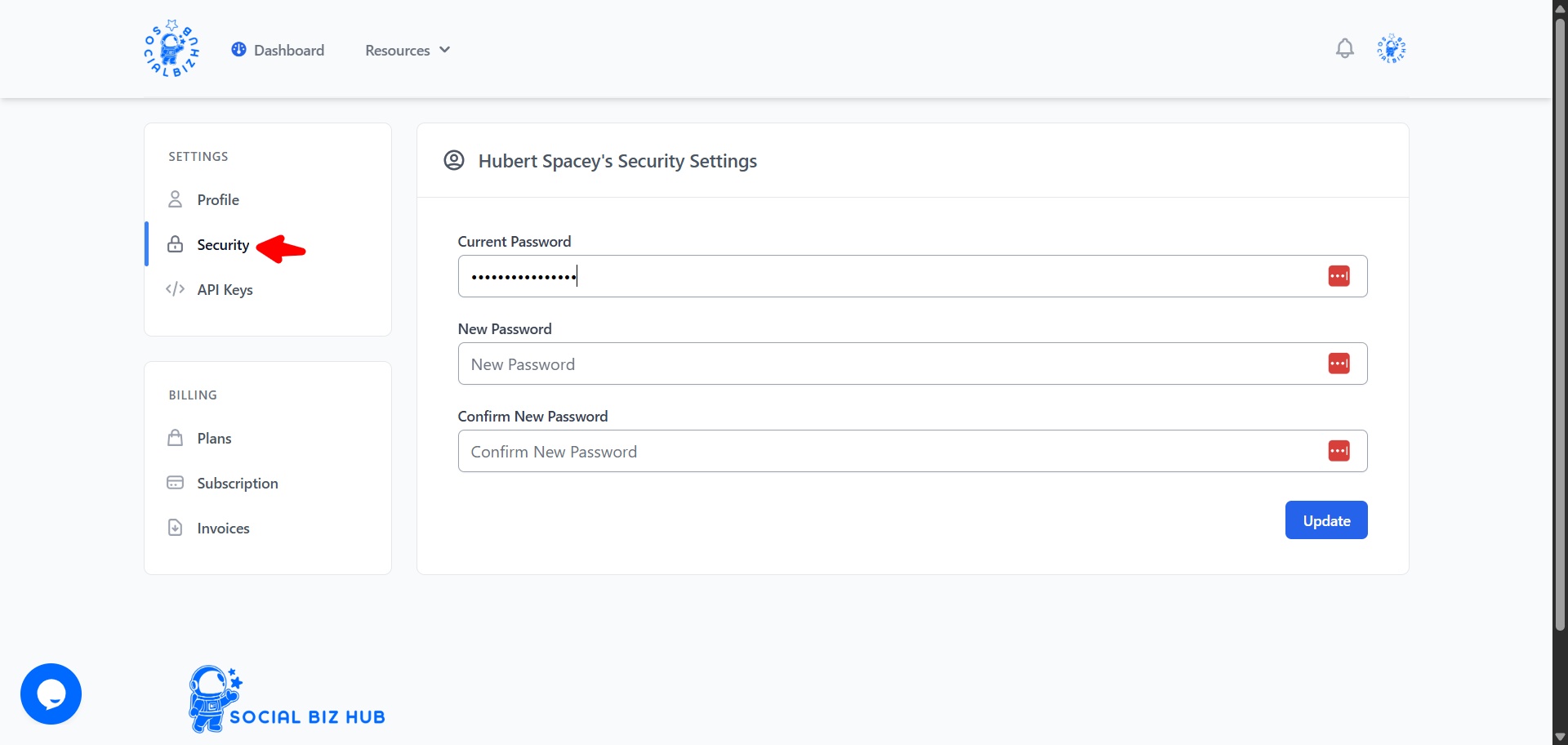
Account → Security (or Settings → Security)
To change your password while logged in:
- Enter your current password
- Enter a new password and confirm it
- Click Update
Forgot your password?
If you cannot log in:
- On the login page, click Forgot Your Password?
- Enter the email address for your account
- Check your inbox for a reset link (also check spam)
- Follow the link to set a new password, then sign in again
Password reset requires a working email on your account. If you never receive the email, contact support.
Two-factor authentication (optional)
Two-factor authentication (2FA) adds a one-time code from an authenticator app (Google Authenticator, 1Password, Authy, and similar) after your password. It is optional — your account works the same without it — but it is the strongest way to protect against a stolen password.
Turn 2FA on
- Open Account → Security
- Under Two-factor authentication, click Enable
- Scan the QR code with your authenticator app (or type the manual key)
- Enter the 6-digit code the app shows, then confirm
You will see a list of recovery codes exactly once. Copy or print them and store them somewhere safe. Each code works one time if you lose your phone.
A gentle reminder card also appears on your Dashboard until 2FA is on. You can dismiss the idea by ignoring it — nothing is forced.
Signing in with 2FA
After you enter your password, SocialBizHub asks for a code from your authenticator app. Enter the current 6-digit code to finish signing in.
If you do not have your phone, choose Use a recovery code and enter one of the codes you saved. That code is then used up and will not work again.
Turn 2FA off or refresh recovery codes
On Account → Security while 2FA is enabled:
- Regenerate recovery codes — requires your current password; old codes stop working immediately; save the new set
- Disable — requires your current password or a valid authenticator code
If you are locked out with no recovery codes, contact support — an admin can clear 2FA on your account so you can sign in and set it up again.
Billing settings
Plans, subscription management, and invoices live in the same Settings area under the Billing group. See Plans & Billing for checkout, Stripe portal access, cancellations, and what each plan includes.
Cancelled subscription
If your subscription is cancelled, you may see a message that you no longer have an active subscription when you sign in. The page includes pricing so you can resubscribe, or you can contact support for help reactivating your account and data.
Frequently asked questions
Can I change my login email? Contact support — email changes are handled manually to protect your account.
Who can see my profile?
Your profile name and avatar appear in your SocialBizHub account. Public
/@username profile pages may require you to be logged in depending on site
configuration.
Where do I manage my subscription? Settings → Subscription opens the Stripe customer portal for payment method updates and cancellation. See Plans & Billing for details.
Is two-factor authentication required? No. It is optional. We recommend turning it on, especially if you manage customer reviews or billing from this account.
What if I lose my authenticator and my recovery codes? Contact support. Do not disable 2FA on a shared computer without saving recovery codes first.