

Review widgets let you show your best reviews on any website — your own site, a landing page, or anywhere you can paste a snippet of code. Pick a format, customize the headline and accent color, copy the snippet, and paste it in.
Step 1 — Open Review Widgets
In the sidebar, click Widgets (Review Widgets). Use the location switcher to choose which location's reviews the widget should display.
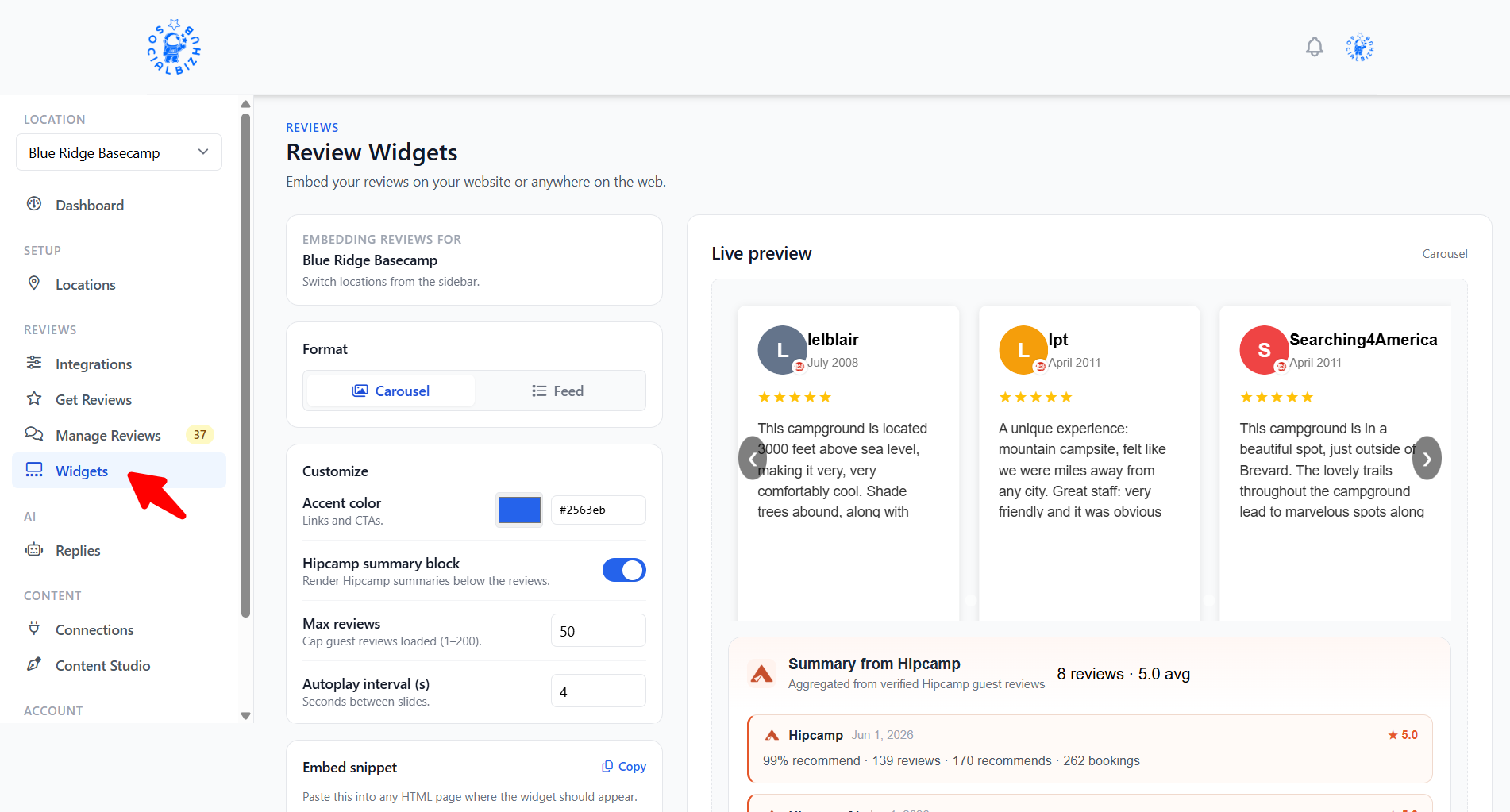
Step 2 — Choose a format
Toggle between three formats:
- Carousel — a hero summary plus rotating review cards (three across on desktop, one at a time on mobile).
- Feed — the same hero plus a vertical list with a Load more reviews button.
- Wall — the same hero plus a static grid of review cards (six or nine on desktop, three on mobile). No carousel or load-more — ideal for a dedicated "Reviews" section on a page.
The live preview on the right updates as you make changes.
Rating summary (legacy): Older embeds may use a compact star-rating badge instead of review cards. The web builder no longer generates rating snippets, but existing rating embeds on your site keep working.
Step 3 — Customize
Section headline — the two-line title above your score (for example, "What Our Guests Say"). Pick a preset, or choose Custom… to edit the words. The blue/green styling is fixed — you edit the text, not the colors. Leave the default to match your location's business type.
Accent color — matches links, the score, and primary buttons to your brand.
Max reviews — how many reviews the widget loads from SocialBizHub (1–200).
Autoplay interval — how fast the carousel rotates (carousel only).
Wall grid size — six or nine cards on desktop (wall only).
Step 4 — Copy and paste the snippet
The Embed snippet updates automatically. Click Copy, then paste where you want reviews to appear. The Advanced snippet wraps the widget in a centered 960px container with a fallback message if JavaScript is slow to load.
See all reviews
Carousel, feed, and wall widgets include a See all reviews button that opens
your location's public reviews page (/reviews/{slug}). See Your Public
Reviews Page for details.
What reviews appear in the widget?
- Only reviews you've approved (reviews rated 4–5 stars are approved automatically; see Getting Reviews, QR Posters & Moderation).
- Reviewer names are shown abbreviated (for example, "John S.").
- Widgets show your Google and Tripadvisor reviews only; reviews imported from other platforms stay in your dashboard for replies and stats.
- A "Powered by SocialBizHub" credit appears unless your plan removes branding.
Frequently asked questions
Do I need a website to use widgets? No. The widget works on any page where you can paste HTML. Your SocialBizHub location website already includes a reviews widget automatically.
My widget says "Reviews are unavailable at this time." That usually means the selected location has no approved reviews yet. Approve a review in Manage Reviews, or collect new ones with your QR poster and review landing page.
Can I show reviews for a specific location? Yes. The widget shows reviews for the location selected in the sidebar when you build the snippet.
What's the difference between Wall and Feed? Feed loads more reviews on demand. Wall shows a fixed grid at a glance — better for a full-width "social proof" section with no interaction.
How do I remove the "Powered by SocialBizHub" credit? Branding removal is available on higher plans. See Plans & Billing.
I'm on WordPress — do I need the snippet? Install the SocialBizHub plugin and add the SocialBizHub Reviews block. Choose Carousel, Feed, or Wall in the block settings; optional headline fields override the default when both are filled in.